If you follow photoblogs like this one at all, you will certainly have heard of ‘The Wave’. I’ll argue that it’s not just a place, but more of an experience sort of thing. Among other things, it is an adventure….
For many, the adventure begins with the quest for a permit. The Wave is part of a specially designated section of Vermillion Cliffs National Monument known as Coyote Buttes North, and legal access requires you to obtain a permit. Permits are available through an online application , however the competition for these is fierce. The only option for many folks is to show up at the BLM Paria Contact Station by 9 AM (that’s Utah time) to participate in the permit lottery. The ranger station opens at 8:30 AM and the rangers accept applications from the hopefuls, of which there typically 30+. At 9 AM a bingo cage is set up and loaded with tokens for each application. Note that permits corresponding to 10 persons total will be awarded – the actual number of permits released depends on the number of people in each of the successful groups.
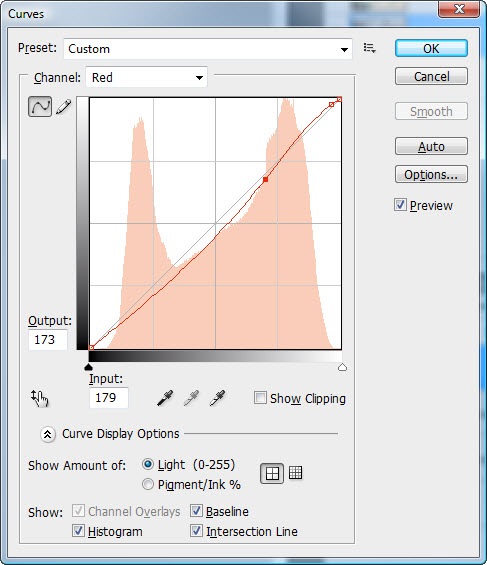
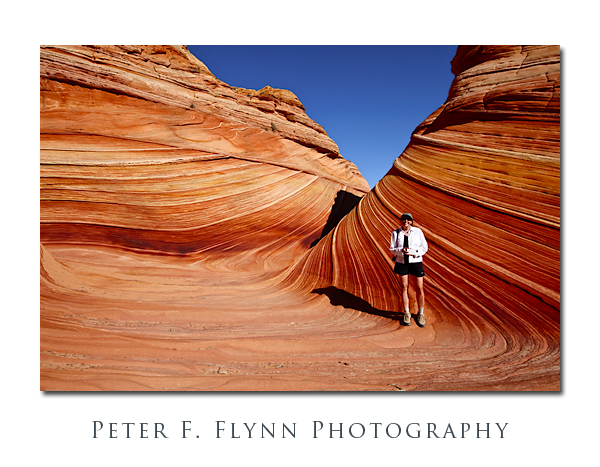
The image above, of the HP in The Wave, was recorded at 09:53 MST on August 27, 2009, using the Nikon D700 and the AF-S NIKKOR 14-24mm f/2.8G ED lens at 17mm. Exposure was f/16 at 1/200s, ISO 200. One of the most surprising features of The Wave is just how small it is – maybe 100 meters square or so. For this reason, although I am usually solidly against any sort of restrictions on access, I gotta go along with the permit system.
The date was August 26, 2009. The room of literally full of people, a good fraction of whom are returnees from the previous day. The HP and I were number 6. The cage rolls, and a number chosen. Is that 6 or 9?!!! You gotta be kidding…6…we win on the first draw! All those years of practicing good karma have finally paid off. Now we can relax and see how the rest plays out. Quite a lot of tension I must admit – resolved in the end into a mixture of joy and disappointment. The odds are against you, and it’s a bit of a stunned feeling to be among the lucky few with winning numbers. You have the rest of the day to contemplate your good fortune, since the permit is actually valid for the following day.
If it’s summer, and the weather is seasonal, you had better get an early start. You will be in the open on sand or sandstone the entire day, and there is no shade anywhere. Yeah, I suppose you could lay on the ground under a juniper bush, but that is just plain undignified. No matter how prepared you think you are, I can assure you that you are inadequately prepared. The rangers advise one gallon of water per person or the day. Seems like a lot you are thinking… If you bring that much you will return to your car feeling like you are dying of thirst – if you bring less, you may actually be. No joke, this place is as potentially deadly as it is beautiful. Depending on your pace, it will take you between an hour and two hours to reach The Wave. The final stretch takes you up a steep sandstone face that is covered with sand, and the tough going guarantees that you will need a short rest before you enter The Wave proper.
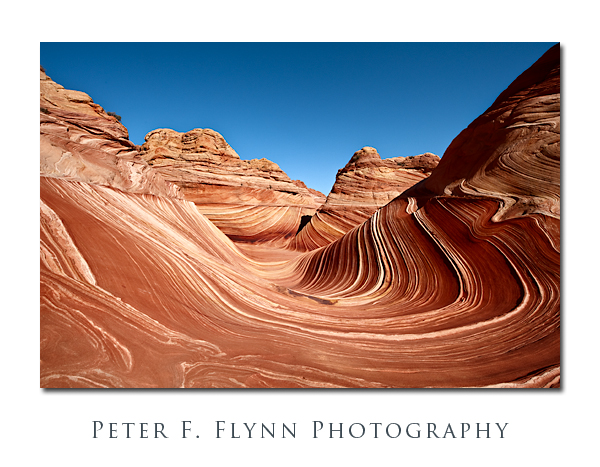
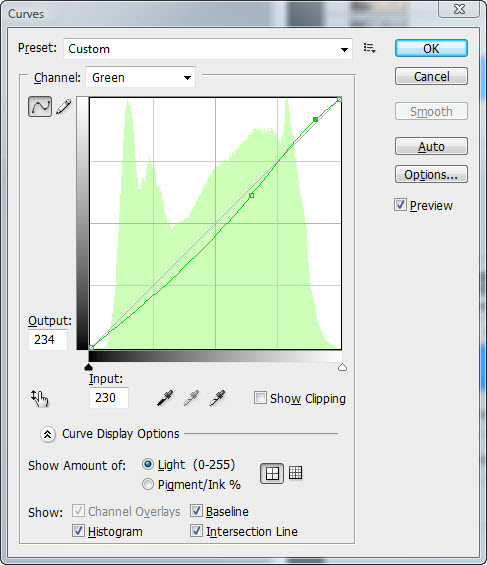
The image above, of the main body of The Wave, was recorded at 10:17 MST on August 27, 2007, using the Nikon D700 and the AF-S NIKKOR 14-24mm f/2.8G ED lens at 15mm. Exposure was f/16 at 1/200s, ISO 200 (-0.67 EV). This shot was made from a position a bit deeper into the main body than the previous shot that includes the HP (or maybe it should now be The HP).
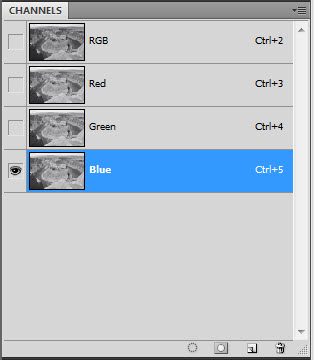
I will divide The Wave into six areas; the antechamber, the main body, the grandstand, the cheapseats, the Wave2, and the backrooms. As suggested by its name, the antechamber is the entrance to The Wave, and is among the most exciting parts of The Wave experience. It’s not just that it comes first, although that is clearly a big part of it, but the antechamber is beautiful in its own right, and the view looking north from its southern end is as good as it gets. The main body of The Wave is just that. Please do not linger in the main body. There are no very good angles to shoot there, and you will totally mess up everyone else’s shot. On the day we visited The Wave, a kooky little French clown in red converse high-tops danced around in there for about 30 mins shooting freehand until a chorus of photographers chased him out.
The grandstand is where most of the photographers will be setup, and for reference is the point from which most published images of The Wave are/were shot. It can get a bit crowded here, but most shooters are polite, and rotate positions often enough so that everyone gets a chance to make a memorable image. The Wave2 is well worth a visit too, and although it lacks the intense color variations found in the The Wave, has deeper striations that are best complemented by the morning light – I said to get an early start, right? The backrooms are all of the areas which lie south of The Wave and the grandstand and a bit east of The Wave2.
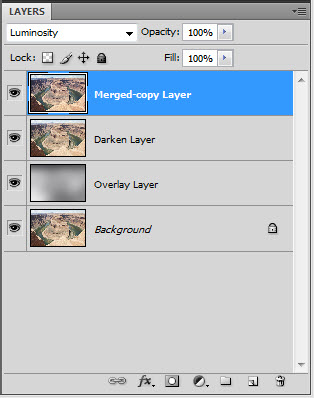
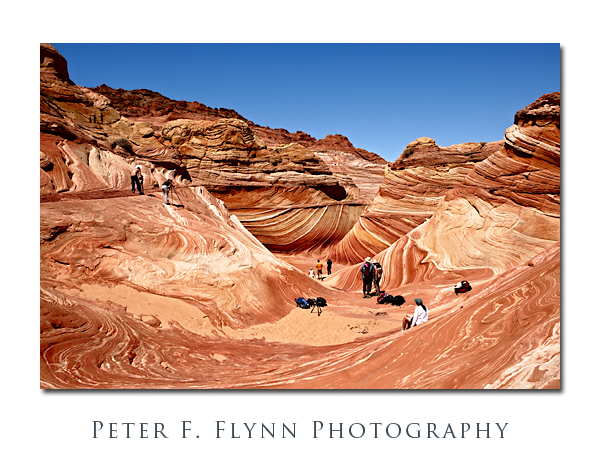 The image above, of the grandstand area shot from the cheapseats, was recorded at about 13:15 MST on August 27, 2009, using the Nikon D700 and the AF-S NIKKOR 24-70mm f/2.8G ED lens at 26mm. Exposure was f/16 at 1/125s, ISO 200 (-0.67 EV).
I hope that you find these notes useful on your experience in The Wave.
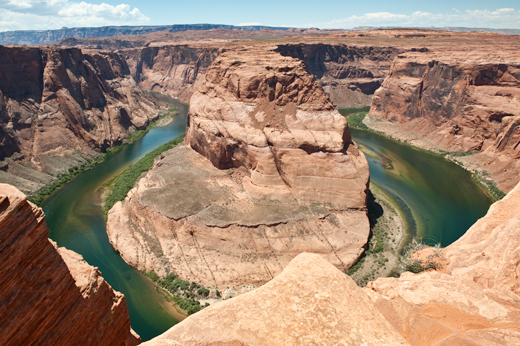
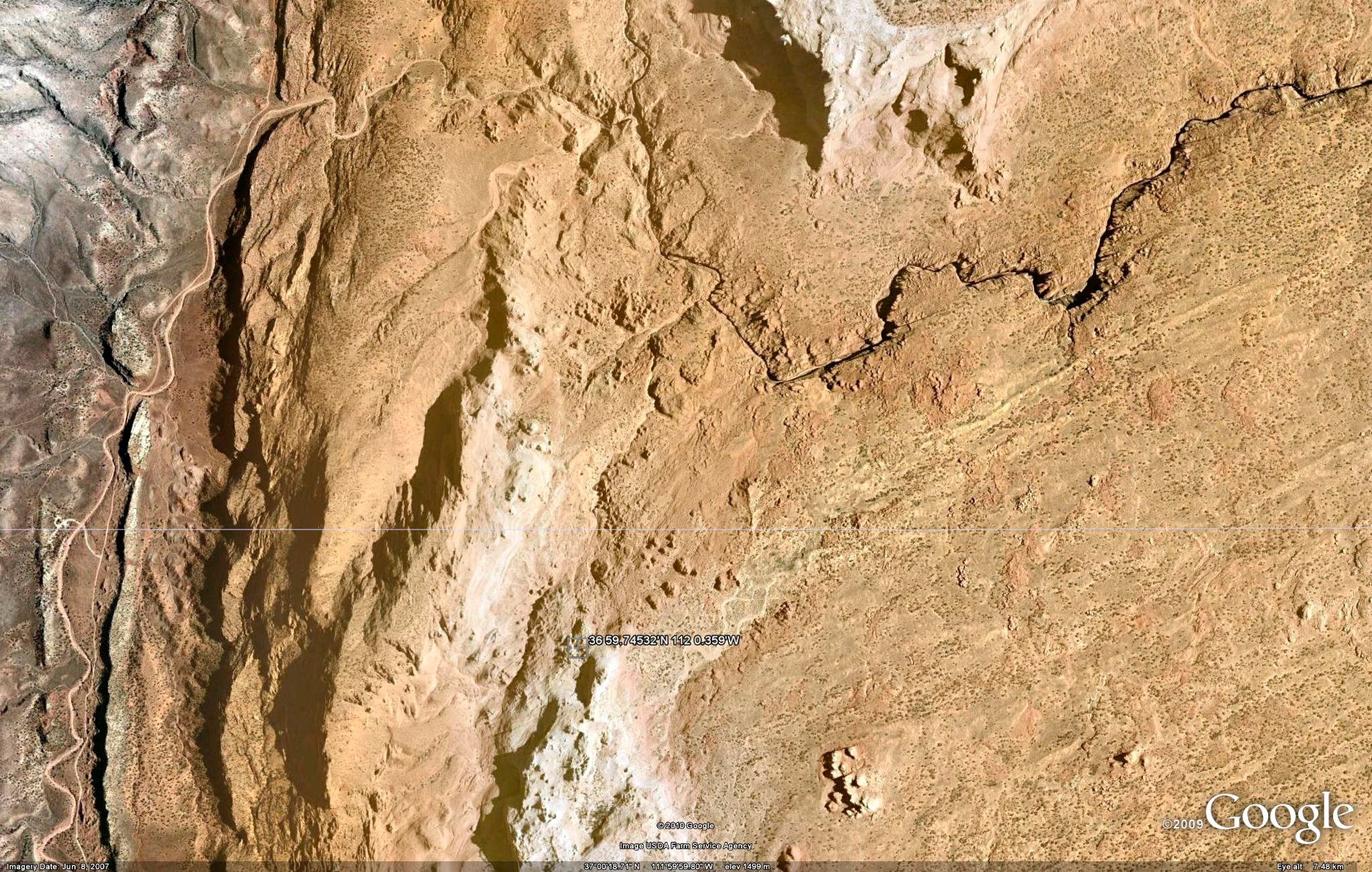
An image of the Coyote Buttes North area appear below courtesy of Google Earth. The entire route is shown, starting with entrance to the Buckskin Gulch near the top, to The Wave, towards the bottom middle of the image. The North Teepees; which are outside of the special permit zone, are to the right of The Wave.
Copyright 2010 Peter F. Flynn. No usage permitted without prior written consent. All rights reserved.