Archive for the ‘Uncategorized’ Category

Birthday Arch

While exploring a remote section of southeastern Utah the High Priestess and I encountered a most excellent natural arch.  Although distinguished neither by extraordinary height nor span, this remarkable arch is rather arbitrarily and improbably  fixed to the upper edge of a sloping bowl of Entrada sandstone.  I discovered this feature on the anniversary of my birth and thus named it Birthday Arch.
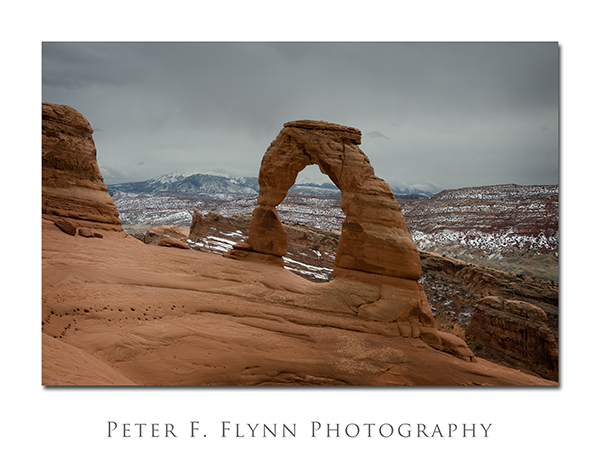
Birthday Arch

This arch may be found by walking from the ruins of a ranch house apparently once belonging to a clan named Wolfe east by northeast up a sandstone slope.  After approximately three miles turn east and traverse around an impressive natural ramp that curves clockwise gaining a hundred feet or so.  The end of the ramp brings you to a narrow ridge from which to view Birthday Arch.  A geological feature of such singular beauty can not long go undiscovered.  I encourage you to visit before hordes of people find it.
50

I have 50 years today!  Born on  Friday the 13th, 1959 in Portland, OR, USA.  Today happens also to be a Friday the 13th, so it’s obviously a cosmic event.  While you are reading todays entry, the High Priestess and I will be heading to southern Utah or northern Arizona.  It’ll be the Vermillion Cliffs or southeastern Utah depending on the weather.  Look out for pics next week.  By the way, did I remember to say that I look great for my advanced age?

Chromatic Aberration – The Fix

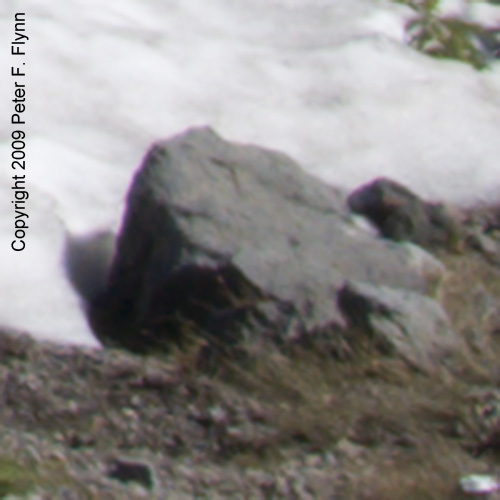
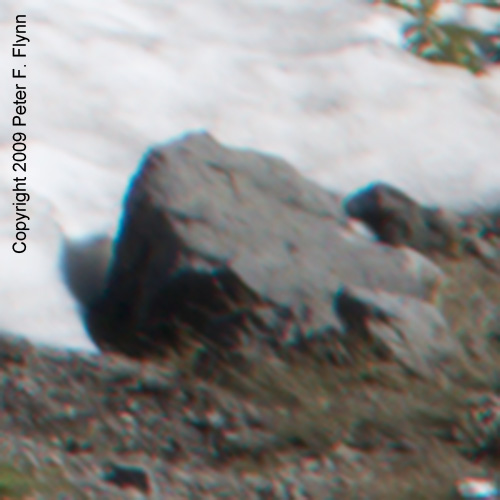
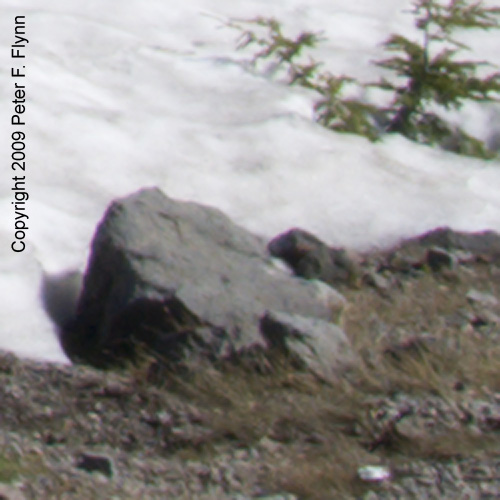
In a previous entry we considered the crop from an image posted on February 6th entry (see below).  Notice the purple fringe around the left side of the rock at the margin between the rock and the snow.  In this entry we’ll examine how the effect can by minimized using Adobe Camera Raw.

Purple Fringe!

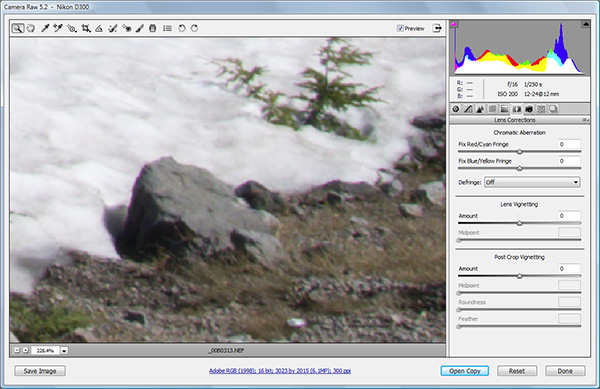
We begin by opening the original file in Adobe Camera Raw (ACR).  For Nikon shooters, this means opening the NEF file.  We are using CS4, and the version of of raw conversion software is ACR5.2.  The correction we are interested in is under the Lens Correction section, which is the sixth icon to the right.  A screen shot of the correct panel is shown below:

Lens Correction Panel - Default Paremeters

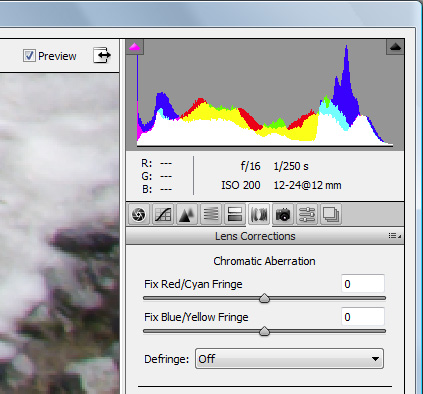
It is impossible to see the details present on the right hand panel, so here is a zoom:camera_raw_1_zoom

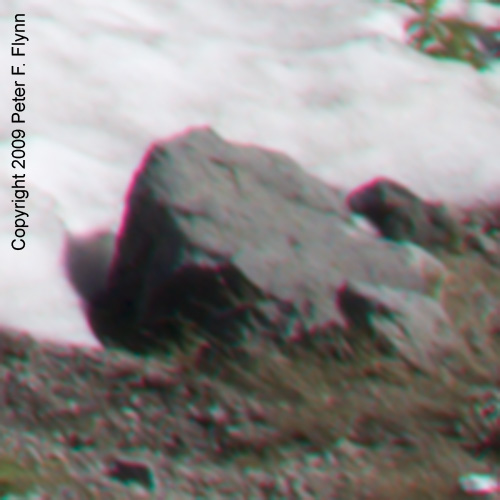
The strategy is to move the slider in the direction of the color of the CA – red in the this case.  To demonstrate the capacity of the software to correct the CA, we’ll move the slider way the wrong direction to +50, then past the proper correction too far towards red to -80, before setting it to the best correction at -28.

Original image: Fix Red/Cyan Fringe slider at 0Original Fringe

Fix Red/Cyan Fringe slider at +50Red Fringe

Fix Red/Cyan Fringe slider at -80Cyan Fringe

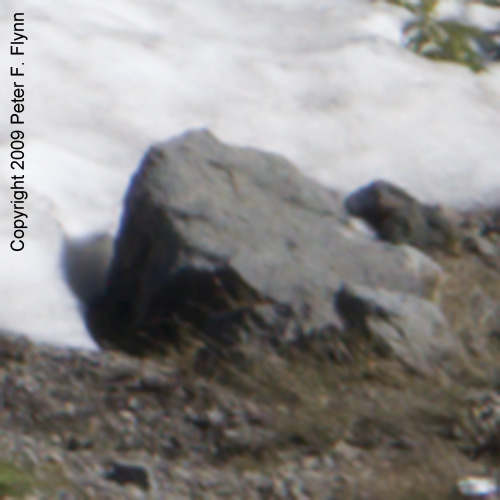
Fix Red/Cyan Fringe slider at -28Fringe Eliminated

Notice how the sharpness improves when the CA is properly minimized.  Yes, I know the crops look a little blurry – you’ll have to wait for the sharpening piece, which comes a bit later on.